PHOTO AND GRAPHICS EDITOR · WINDOWS FIRST · IN DEVELOPMENTFusion Photo Studio is Fusion's photo and graphics editor. Work in layers with masks, adjustment layers and layer styles; select, retouch, transform and liquify; keep the full range of 16-bit photographs; and move work in and out of Photoshop documents. Every edit can be undone, and nothing in your document depends on anyone's server.
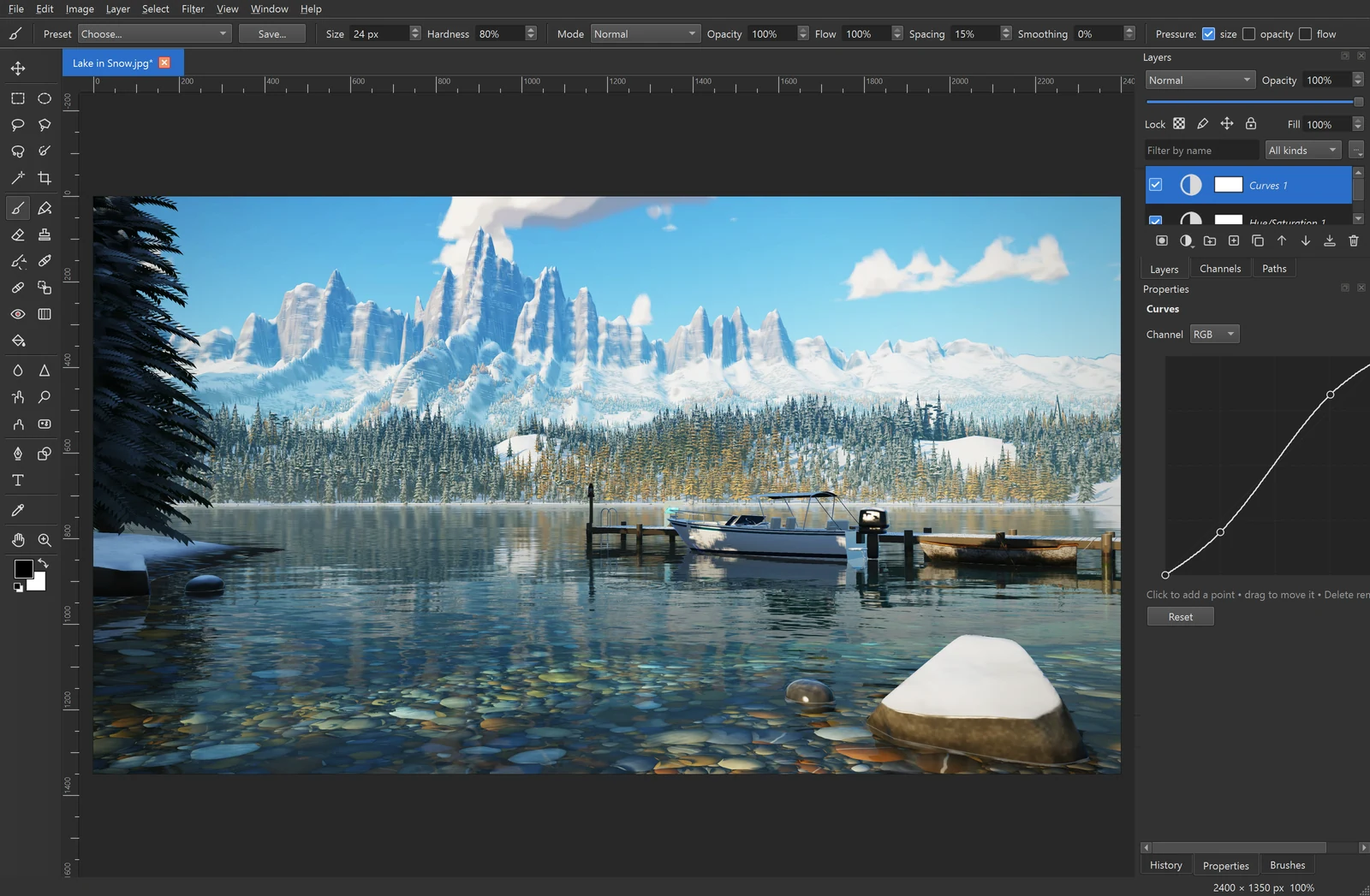
The Windows development build, editing with a Curves and a Hue/Saturation adjustment layer. The picture is a Fusion 3D Engine render.
Layers that stay editable.
A document is a stack of layers: pictures, adjustment layers, fill layers, shapes, text and smart objects, in groups and clipped to one another, each with its own mask, blend mode, opacity and fill. Adjustments, styles, shapes and text stay settings rather than pixels, so they can be changed at any time.
Masks, groups and clipping
IN DEVELOPMENTLayer masks painted with any tool, groups that blend by themselves or pass through, clipping, locks, and 26 blend modes.
Layer styles
IN DEVELOPMENTDrop and inner shadow, outer and inner glow, stroke, bevel and emboss, satin, and colour, gradient and pattern overlays, each with its own blend mode.
Smart objects and filters
IN DEVELOPMENTLayers kept whole inside a smart object, transformed again and again without loss, with filters that stay switchable.
Shapes, text and paths
IN DEVELOPMENTShape and text layers that stay sharp when moved, scaled or turned, text typed on the canvas, and a pen for paths and custom shapes.
Pixels beyond the canvas
IN DEVELOPMENTMove, crop or turn a layer and keep what falls outside the canvas; Reveal All brings it back.
Undo for everything
IN DEVELOPMENTEvery edit is a step in the History panel. The History Brush paints back any step, and a recovery copy of unsaved work is written every two minutes.
Adjust, compare, and keep both.
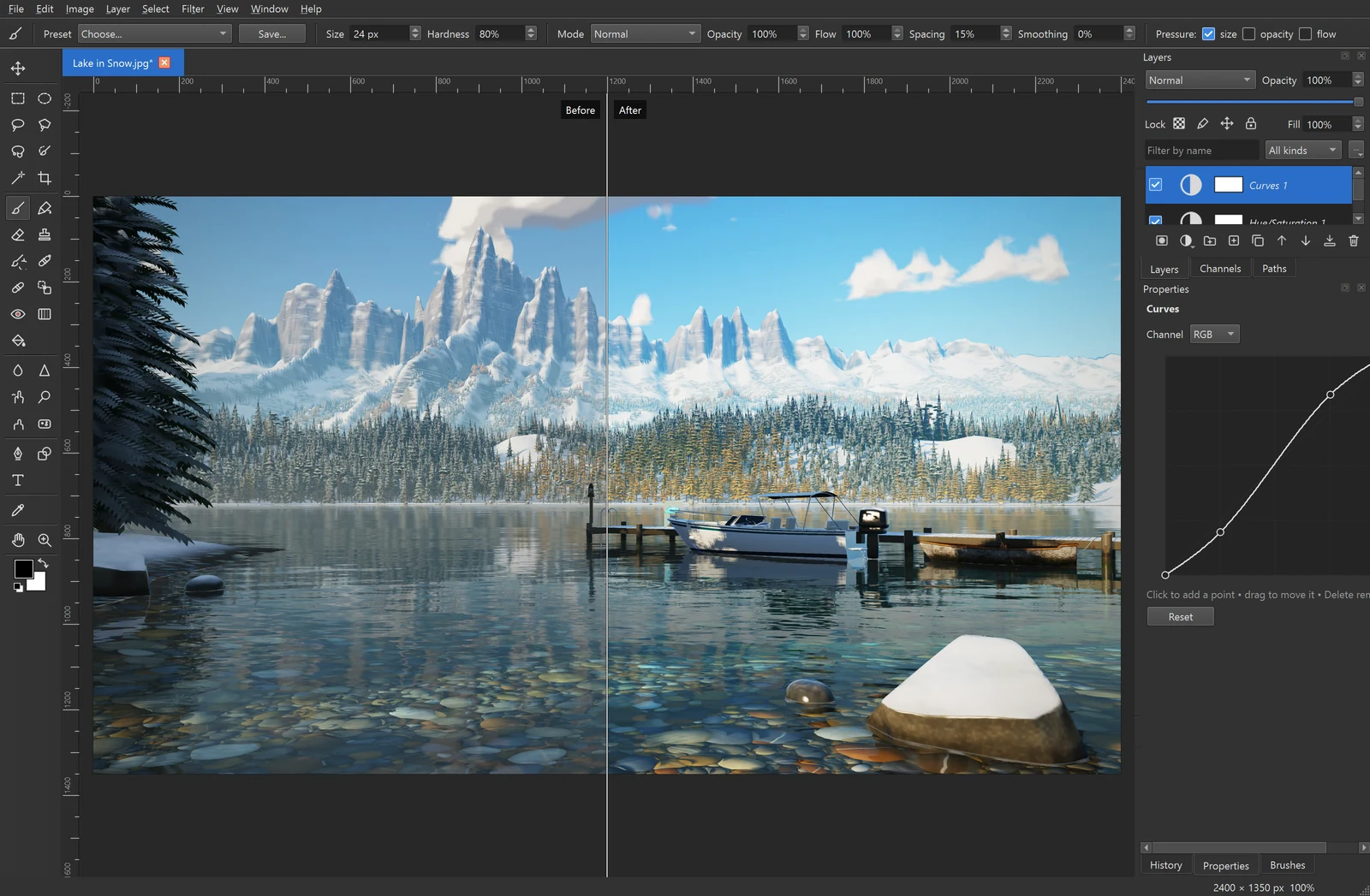
Levels, Curves, Exposure, Hue/Saturation, Colour Balance, Channel Mixer, Selective Colour, Colour Lookup from .cube tables and the rest, as adjustment layers or applied directly. View > Before and After splits the canvas between the picture as it was opened and as it is now.Before and After in the Windows development build: the left side as the picture was opened, the right side with its adjustment layers.
Seventeen adjustment layers
IN DEVELOPMENTFrom Brightness/Contrast to Gradient Map and Colour Lookup, with Shadows/Highlights, Auto Tone, Auto Contrast and Auto Colour. Most are measured against Photoshop's results for the same settings.
Filters
IN DEVELOPMENTBlurs, sharpening, noise, distortions, stylize and render filters, lens correction and Shadows/Highlights, each with a live preview.
Colour management
IN DEVELOPMENTDocuments keep their colour profile, the canvas is drawn in your monitor's colours, and soft proofing shows how a print profile will render.
Select, retouch, transform.
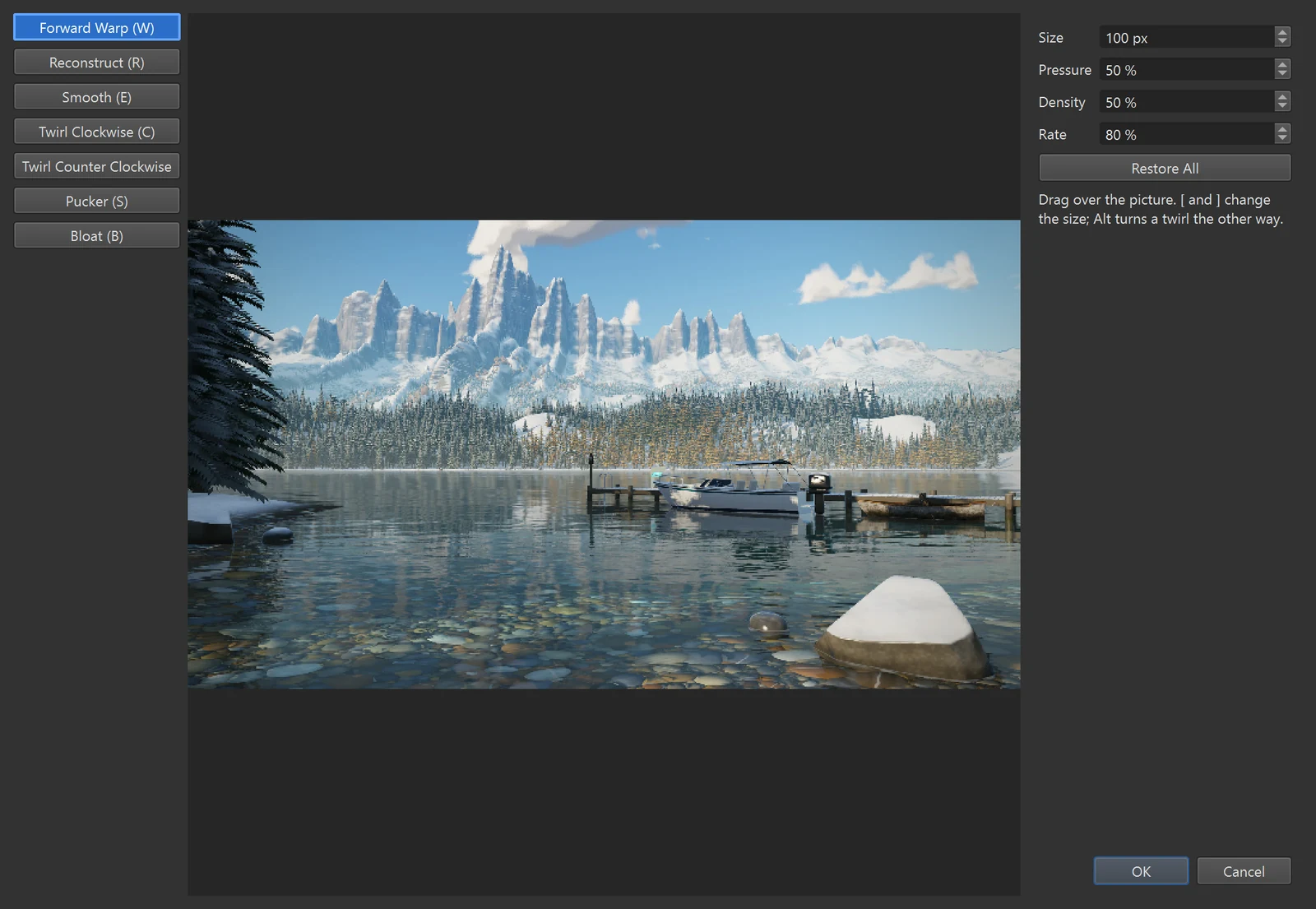
The tools a day's work needs, written by Fusion rather than borrowed: the brush engine, the selections, the healing and the warping are Fusion's own code.Liquify in the Windows development build.
Selections
IN DEVELOPMENTMarquees, lassos including a magnetic one, the Magic Wand, Quick Selection, Colour Range, Refine Edge, Quick Mask, and channels to save them in.
Retouching
IN DEVELOPMENTHealing and Spot Healing, Clone Stamp, Patch, Red Eye, Colour Replacement, Dodge, Burn, Sponge, Blur, Sharpen and Smudge.
Brushes
IN DEVELOPMENTSize, hardness, flow, pressure, smoothing, tips of your own, and dynamics for size, angle, scatter and colour.
Free Transform and Crop
IN DEVELOPMENTScale, turn, skew and perspective by handle or by number, straighten while cropping, and rulers, guides and snapping.
Liquify
IN DEVELOPMENTPush, twirl, pucker and bloat, redrawn from the original each time so the picture never blurs with use.
Search Commands
IN DEVELOPMENTCtrl+F finds any command, tool or panel by name, with its keys. Every shortcut can be changed.
16 bits a channel, all the way through.
A 16-bit document keeps 65,536 levels in each channel instead of 256, so skies and gradients stay smooth after strong adjustments. In Fusion Photo Studio every tool, filter, adjustment, layer style, mask and selection works on the 16-bit values; none of them quietly falls back to 8 bits. Large pictures are kept in tiles and composited in the background.
Every edit at 16 bits
IN DEVELOPMENTPainting, retouching, filters, transforms, layer styles, masks and selections, with each step undone exactly.
16-bit files
IN DEVELOPMENT16-bit PNG, TIFF and Photoshop documents in and out; exports to 8-bit formats are dithered so gradients do not band.
Large pictures
IN DEVELOPMENTTiled storage, copy-on-write layers and background compositing for documents of tens of megapixels. Making filters, resizing, saving and opening as quick on the largest pictures is still being worked on.
Bring your work in, and take it with you.
Fusion Photo Studio saves its own documents as .fphoto files, an open format: the specification is published, and a second reader written from it alone checks every sample. Photoshop documents come in and go out with their layers, masks, groups, adjustment layers and styles, and the presets you already own come with you.
.fphoto, an open format
IN DEVELOPMENTLayers in compressed tiles and a readable manifest; members a reader does not know are kept, not dropped.
Photoshop documents
IN DEVELOPMENTPSD and PSB opened and written with their layers. Anything that does not carry across is listed when the file opens or is written, never dropped silently.
Your presets
IN DEVELOPMENTBrushes, patterns, gradients and swatches from Photoshop and Illustrator preset files, imported as content packs.
Images
IN DEVELOPMENTPNG, JPEG, TIFF, WebP, GIF and BMP read and written by Fusion's own code, with colour profiles and EXIF, XMP and IPTC kept or removed as you choose.
Export
IN DEVELOPMENTAt any size, each layer to a file of its own, and as SVG or PDF.
Languages
IN DEVELOPMENTEnglish and Spanish, with the window's controls named for screen readers.
Built in steps.
Fusion Photo Studio is written in C++. It runs on Windows today as a development build; Fusion OS and Android follow.
Windows
IN DEVELOPMENTThe development build runs on Windows, with everything on this page.
Fusion OS
IN DEVELOPMENTBuilt and tested in Fusion OS's development environment; a Fusion OS release is still to come.
Android tablets
IN DEVELOPMENTA tablet build of the window runs on an Android tablet; a touch layout and phones are planned.
Plug-ins
PLANNEDFilters, file formats and automation from other developers through an SDK, each running apart from the editor.
AI, on your terms
PLANNEDRemove, fill and select with Fusion AI or your own provider, with what leaves your device and its cost shown first.
Camera raw
PLANNEDDeveloping raw files from cameras.
Part of the Fusion platform.
Fusion Canvas
Paints and draws with materials on 2D and 3D models, where Fusion Photo Studio edits images.fusioncanvas.cloud →
Fusion 3D Engine
Fusion's core 3D engine, which rendered the lake picture on this page.fusion3d.cloud →
The screens on this page are the Windows development build, captured from its own window; the picture in them is a Fusion 3D Engine render. There is no release, edition or price yet. Follow its progress, and the rest of the Fusion portfolio, on fusionsoftware.cloud.Visit fusionsoftware.cloudFusion Photo Studio · Fusion Software LLC · 2026Fusion CanvasFusion 3DFusion CADFusion Software